
Note: This is an engineering application guide based on public industry context. It does not disclose any customer project details.
Intro
How to select linear actuators and lifting columns for assistive technology mounts, accessible workstations, eye-gaze positioning, and environmental control equipment.
Quick Recommendation
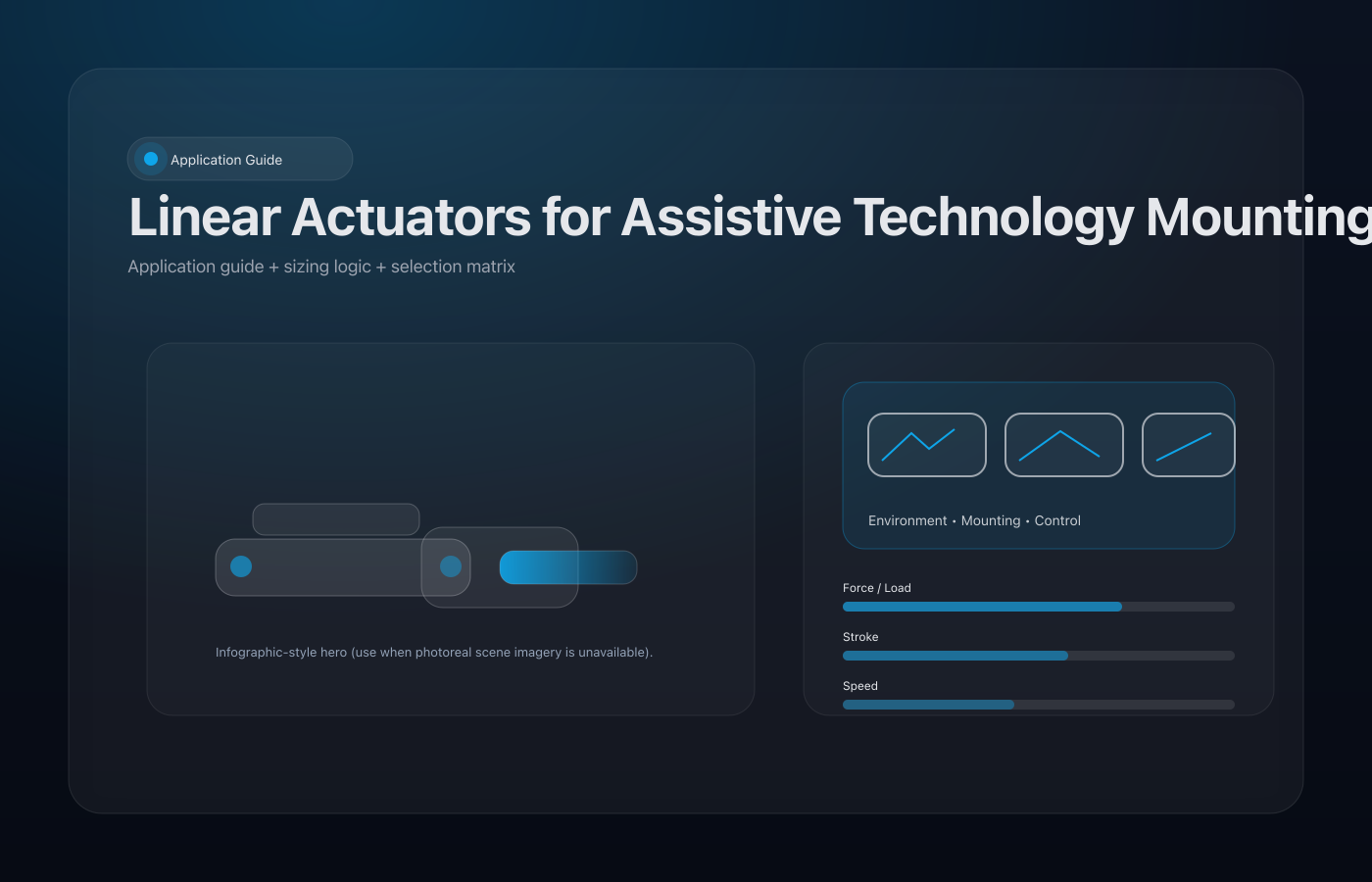
For assistive technology positioning and accessible equipment, start with the motion requirement first: load, stroke, speed, duty cycle, mounting geometry, safety behavior, and the environment around the moving mechanism. Choose a linear actuator or lifting column only after these constraints are clear.
Interactive Motion Demo
Where It Fits
- Height-adjustable assistive technology workstations for schools, therapy rooms, and resource hubs
- Powered positioning for eye-gaze displays, communication devices, and switch access panels
- Accessible mounts or small platforms that need smooth, low-noise movement
- Environmental control panels or device arms where repeatable positioning improves independence
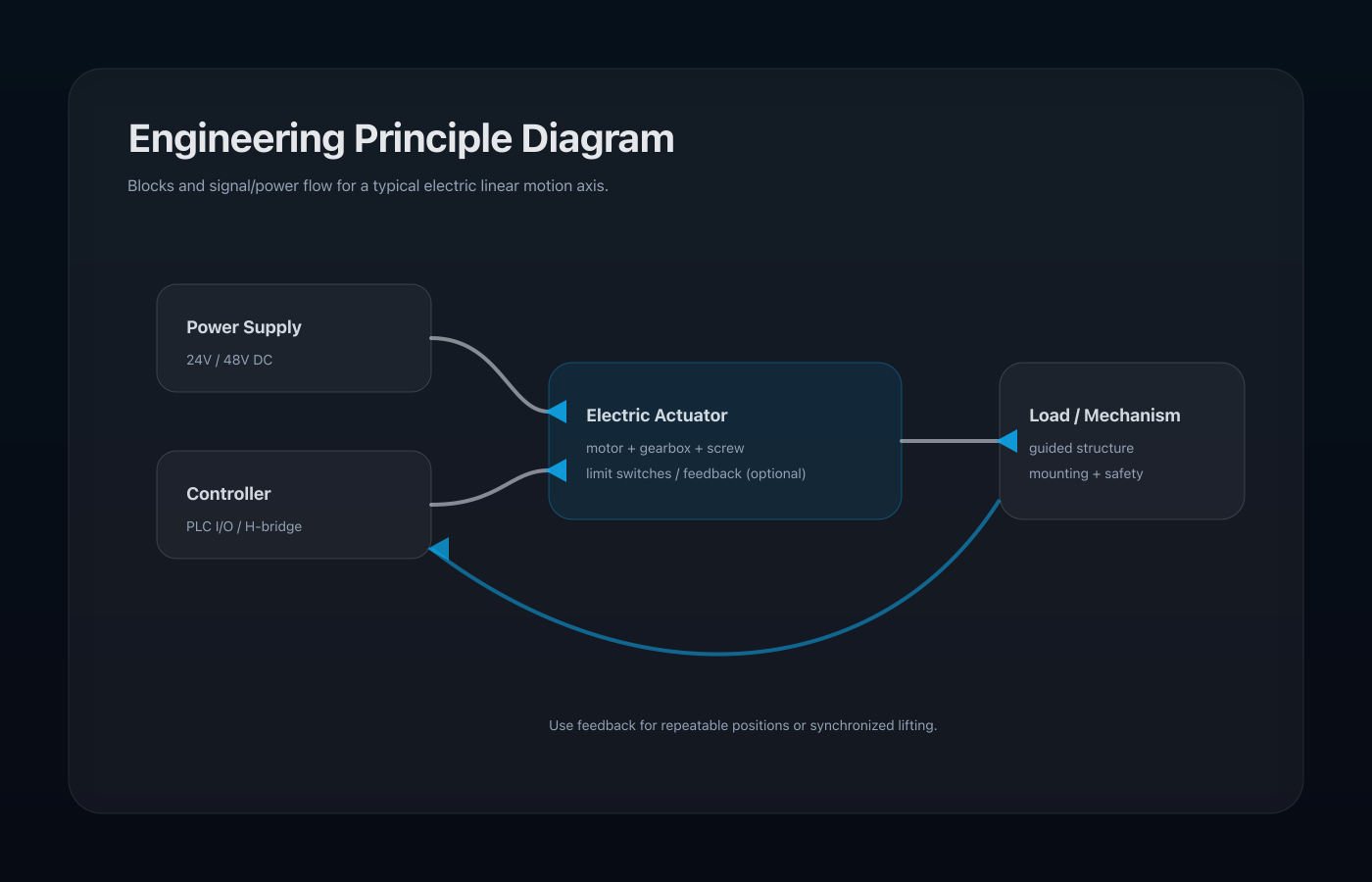
Engineering Principle Diagram
Basic Sizing Logic
- Define the movement: travel distance, required angle or height change, and whether the motion is open/close or repeatable positioning.
- Estimate the working load: include the moving part, accessories, user-applied force, friction, and any off-center load.
- Confirm mounting geometry: the same actuator can produce very different useful force depending on pivot points and moment arm.
- Add safety margin: allow for wear, misalignment, impact, contamination, and user misuse.
Product Parameter Selection Example
| Parameter | Example Choice | Selection Basis |
|---|---|---|
| Rated load | 500-2,000 N for light device mounts; higher for guided platforms | Covers display weight, bracket load, user interaction force, and friction |
| Stroke | 100-400 mm | Selected from eye level, seated/wheelchair access height, or device reach requirement |
| Speed | 3-15 mm/s | Slow, predictable movement is better for user-facing assistive equipment |
| Control | Hand switch, caregiver control, or feedback controller | Chosen from the user workflow and accessibility requirement |
| Noise and safety | Quiet gearbox, end limits, anti-pinch design | Important in classrooms, therapy spaces, and care environments |
How to Use the Selection Matrix
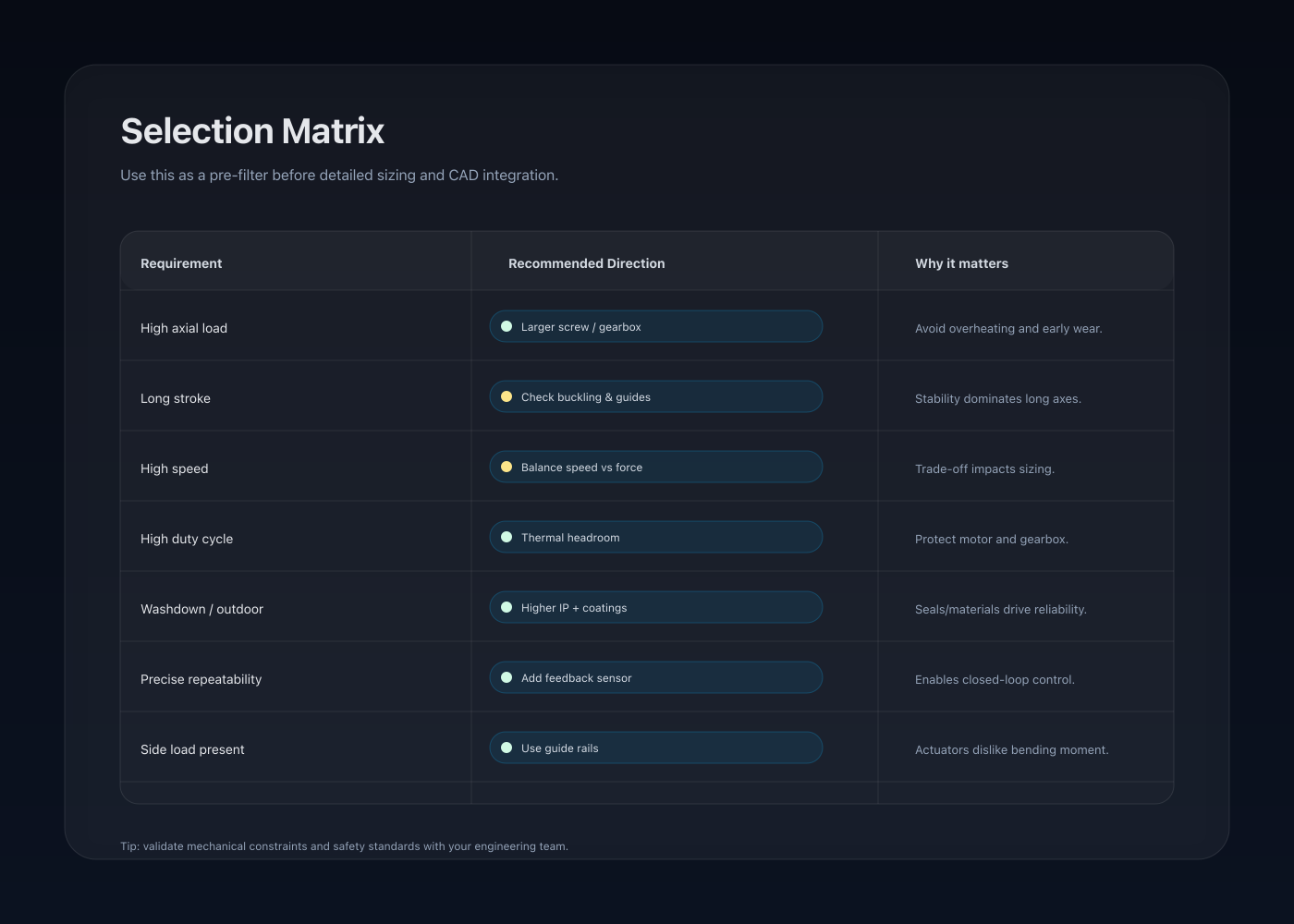
Use the matrix below as a first-pass screening tool. It narrows the actuator family before final engineering checks for load, stroke, speed, protection rating, brackets, and control logic.
- Start with the moving part. Identify whether it is a light panel, heavy cover, guided platform, or synchronized frame.
- Check the geometry. Verify actuator force at the worst angle or highest load position.
- Match the environment. Indoor, clinical, industrial, dusty, or outdoor use changes IP rating and material choices.
- Choose the control level. Simple switches, limit switches, feedback, or synchronized control are selected from the workflow.
Selection Matrix
Engineering Points
- Keep moving mechanisms guided so the actuator is not carrying side load.
- Use limit switches and low-speed motion around users.
- Consider lifting columns when vertical stability and anti-rotation are more important than a simple push-pull axis.
- Route cables cleanly to avoid snagging around wheelchairs, desks, or therapy equipment.
Required Information
- Load, stroke, target speed, and duty cycle
- Mounting space and bracket constraints
- Whether the actuator must hold position during power loss
- Control method: switch, PLC, remote, feedback, or synchronized controller
- Environmental requirements: noise, IP rating, corrosion, cleaning, or user safety
FAQ
Do I need position feedback?
Use feedback when the system needs repeatable intermediate positions, synchronized movement, or controller confirmation.
Is self-locking required?
Self-locking or a mechanical holding method is recommended whenever unintended movement could affect safety, alignment, or usability.
Can one actuator be enough?
One actuator may be enough for a compact guided mechanism. Wide, heavy, or off-center structures often need guides, linkages, or synchronized actuators.
Related Pages
Public context checked: Inclusive Technology describes assistive technology for communication, learning, access, mounting solutions, and environmental controls.